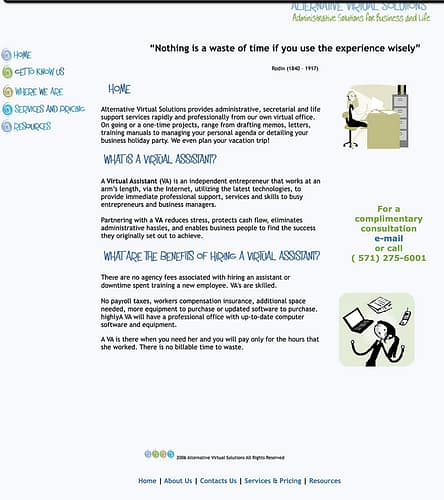
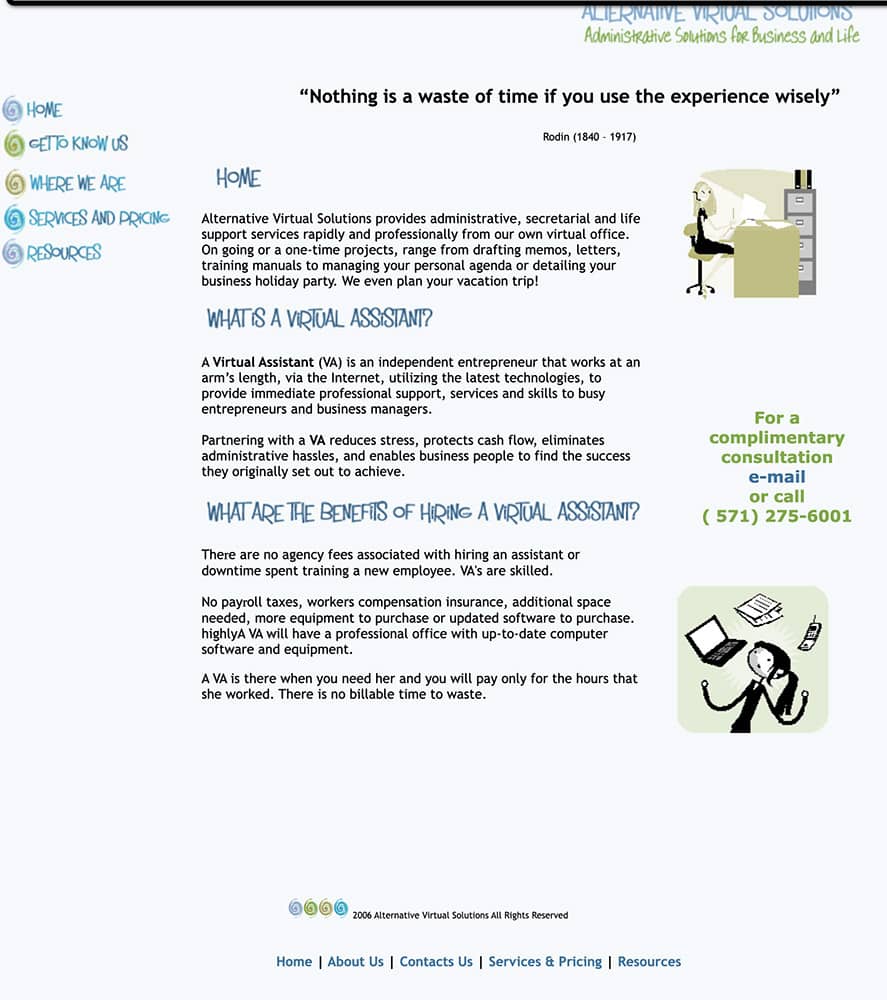
In 2006, I started my first online business as a virtual assistant. The same year, I built my first website ever. Hello Fireworks buttons and clipart!! And the font…. hmmm.
I think the funniest part of this story was my call with GoDaddy support. I bought my first domain with them, built my site and then called them to ask how come my site was not live? All I saw was a “parked page”. Fifteen minutes and two support reps, somebody figured out that my site wasn’t live because I never bought hosting for it.
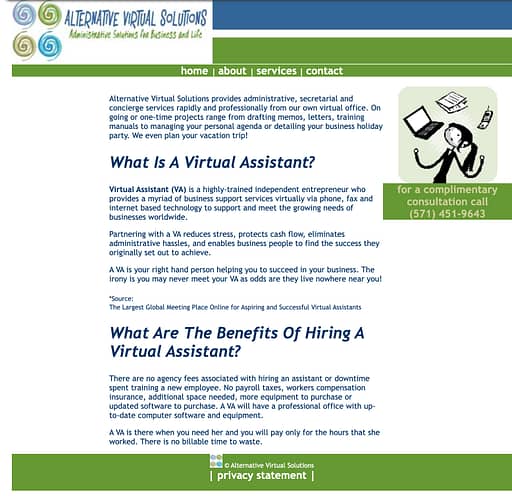
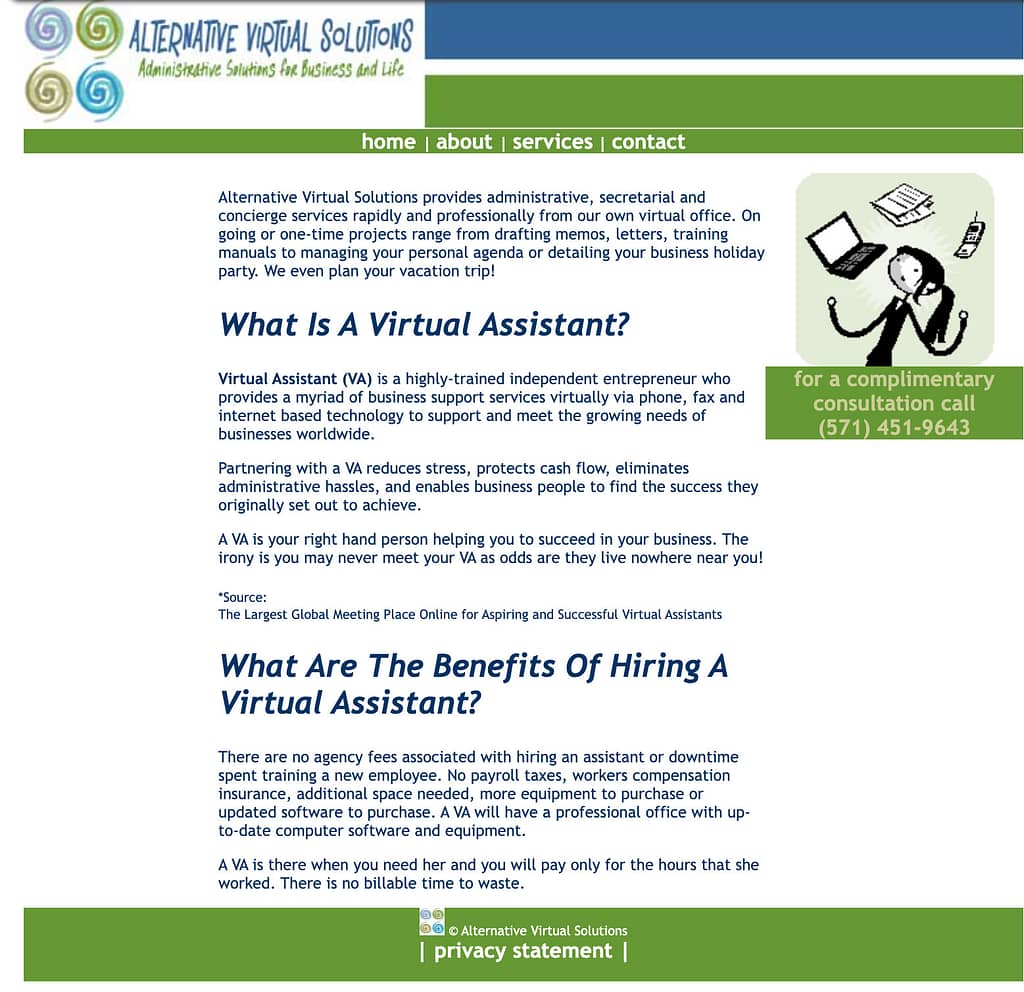
By 2010, the old site looked outdated and that class on how to build sites with WordPress was really making me lose sleep, so I took the plunge and redesigned my site. I kept the clipart, it may be an assumption, but maybe I didn’t know how to work with digital photography back then. So, it is WordPress and I used the default theme, Classic.
Am glad to have learned some digital etiquette cause that block of text is hurting my eyes. But I had a privacy statement and four pages. There was no blog in this website.
Can’t remember exactly, but it was around September 2022 that I was invited to be lead for the community team at WCEU 2023.
The bad habit of not saying no, I immediately got all excited, jumped up and down and said yes.
I went in like a deer caught in headlights, had no clue what it was all about and all the 9 months I had more questions than answers. My phrase “wait, wait, I still have questions!” was the joke in all our team meetings.
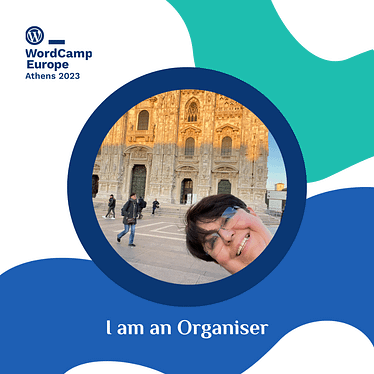
Badge by WCEU Design team. Photo by Estela Rueda
Frustrations
There were plenty in a very normal way. We didn’t agree on one thing or another, people didn’t do what they were asked, etc. Nothing different than what happens in a working team.
Awesomeness
This was too much! We had plenty of serious meetings but we also had times to be silly. The team leads, we got to know each other and learned how to support each team with our work.
The Community Team
I must say, being a team lead is not an easy task. First I had to choose my own team. This petrified me, I had to choose between 10-12 souls that I have never met, well, except one. I went with my gut, I started by reading that last question about why they wanted to be an organizer and what their skills were, then I checked on their names, only because I wanted to do my best to get a good male/female ratio and a good country representation. My team was lucky enough to have more than 2 genders represented but this is a difficult task as the GDPR doesn’t allow us to ask people for their gender.
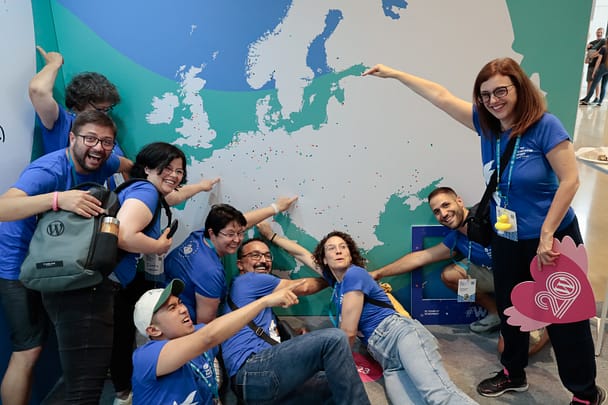
At the end of the day, we had the best group of humans I have ever worked with. People that were strangers at the beginning, are now great and amazing friends and colleagues. And lovely people I really hope to run into in the future.
Photo by the WCEU 2023 Photography Team
WordCamp Europe 2023
In general, I had the best time ever but I always manage to have a great time at every Wordcamp I attend.
I talked to as many sponsors as I could, few of the speakers and many of the attendees. The community team was busy at the booth and we gave away as many postcards as we could as well as information regarding the WordPress community.
As for the talks, the only one I attended was the Q&A with Matt, Josepha & Mathias by choice. It works best for me to watch the talks on video to rewind it and take notes. Just a matter of personal style.
The best day was Contributor Day. All the teams accomplished so much and it feels me with pride for the small part I played in making that happen.
Photo by the WCEU 2023 Photography team
My takeaway is that it is a lot of work. There is a huge responsibility to the WordPress community to provide them with a good place to learn, to network and to enjoy themselves.
WordCamp Europe 2024
Since I am posting after the summer, I might as well answer this appropriately. I was so high on adrenaline after we closed Athens that I immediately signed to be an organizer again. I even took the time to write a content proposal from all the feedback I gather during our time in Athens.
Many things happened between June and September. And it is time I focus my WordPress contribution efforts to one project, the translation and internationalization of the WordPress documentation.
Sadly, I said no to leading the community team again. I love WordCamps in all their iterations, as an organizer, volunteer, speaker (my least favorite) and as an attendee. The opportunities are different but the teams work hard to make them as enjoyable as possible.
Although, I will not be part of the organizing team for WCEU 2024, I wish the team the best and will support them from afar. I’ll apply as a speaker or maybe a volunteer. Or perhaps I’ll be an attendee, but I will definitely see you all in Torino!!
The most important reason why I attended WordCamp Barcelona is to continue with the WordPress.org documentation translation project.
As expressed before, we are working with the Spanish community for our trial. The reasons are plenty, they do have a lot of documentation translated, they are near by me – thus cutting down traveling costs, and I speak the language.
Contributor Day
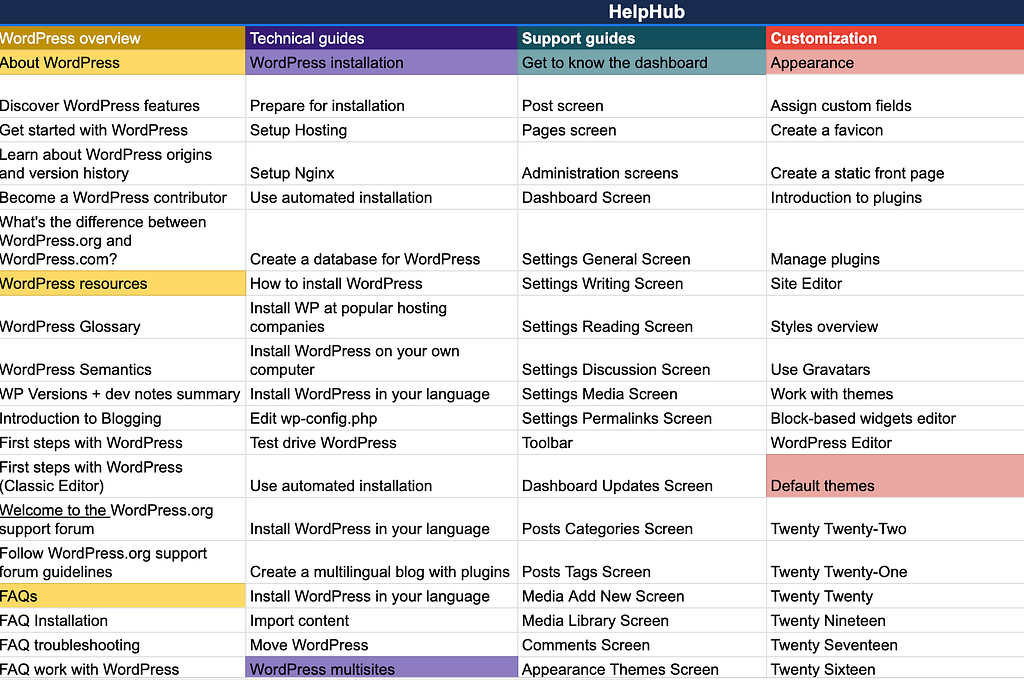
During Contributor Day we worked with members of the translation, documentation and marketing teams. The goal was to translate HelpHub sitemap into Spanish and there was a group of Catalan speakers who decided to translate it into Catalan also.
During our short workshop, we spoke about the meaning of each term and discussed words that can carry SEO weight. It was amazing that at end of the day, we had both the Spanish and the Catalan version of the sitemap.
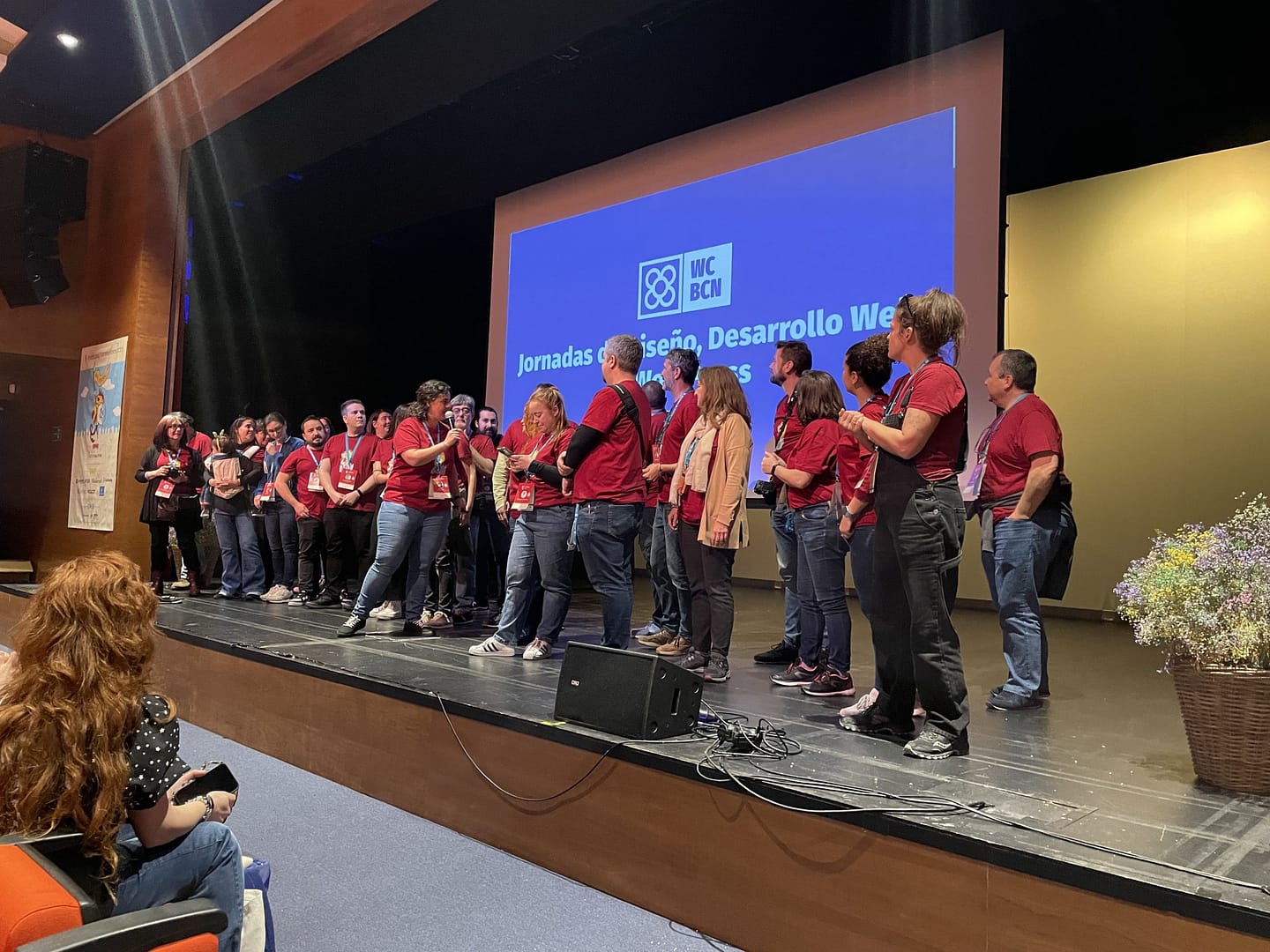
Honestly, I only attended one talk about leadership, which was very interesting and the only one in English. Most of the talks were in Catalan and few talks in Spanish.
I applaud the effort on highlighting the language of the community but there should be a better balance between Spanish and Catalan to secure more attendees and also more speakers. It also helps break language barriers. I won’t say anything about English because speaking and understanding English at a high level should never be a barrier to work with WordPress.
The language was not a barrier to the topics, there were many to choose from.
Small interview
Podcast from WordCamp Barcelona 2023
Thank you to Yoast
For the last WordCamps, Torrelodones and Barcelona, Yoast has supported my traveling from the Yoast Diversity Fund. If you haven’t heard about it and want to do something awesome for the community, like give a talk on a WordCamp, make sure that funding is not the reason why you don’t apply.
As with everything there are rules, read all about it
There is something about the WordPress Spanish community that makes everything more fun and exciting. As I made my way to WordCamp Torrelodones, another participant was looking to share a Cabify (Spain’s version of Uber.) We shared a chat group with lots of jokes about the weather and luggage. Probably what surprised me most was the warm welcome I received from everyone I talked to – lots of hugs and kisses all around. The Spanish people are truly a friendly and welcoming bunch.
After arriving at the hotel, I walked to the venue and helped with the setup. Even though, that was the intention, there were so many volunteers that the set up lasted no more than 2 hours.
That evening the schedule called for the speakers, volunteers and sponsors dinner. At first glance, I was struck by the genuine warmth of the community. I received more hugs and kisses, ate lots of delicious food (maybe too much for my own good), and enjoyed drinks with fellow attendees. We shared or stories, our love for WordPress, and discussed new projects we’d like to implement in the community.
The WordCamp
On Saturday morning, Ana Cirujano led the inauguration with her amazing team of organizers and volunteers. I was thrilled to see that we had a 93.8% attendance rate. Although I attended several talks, I focused on everything SEO related, like “El E.E.A.T. me come toda la marca” (which roughly translates to “Google’s E.E.A.T. is eating all my brand”), presented by Lucia y el SEO. Her talk was both informative and hilarious, and she presented it with exceptional style and clarity. Wajari Velazques’ “Pesadilla en la cocina – Mejora tus guisos y el SEO con Search Console” y “Tu cerebro te traiciona – los sesgos explotados por el marketing” con Pablo Moratinos. I found many of the other talks to be equally enlightening, educational, and energizing.
On Sunday, my own talk was approaching, and my anxiety was building. To be honest, I hadn’t put much thought into it when Ana asked me to speak. But then the new website for wordpress.org/documentation launched and it was the last day of the call for speakers at WordCamp Torrelodones, and I knew I had to apply. I submitted my talk summary in English and promised to present it in Spanish. The language was my stress trigger. After this weekend, not being able to speak better Spanish is an excuse I can no longer give; I just need to work on overcoming my nerves.
I signed up to talk at WordCamp Torrelodones but I also wanted to see my friend Ana and meet two wonderful people in person, Ohia and Wajari, we have been planning WCEU 2023 together since September last year. And made many new friends.
Contributor Day
Sunday’s Contributor Day was also intense, with contributors hard at work and fully invested. I took the opportunity to discuss internationalization options for documentation with a team of like-minded individuals. They worked so hard that by the end of the day, my talk was already up (in Spanish).
Introduction to the new site for wordpress.org/documentation
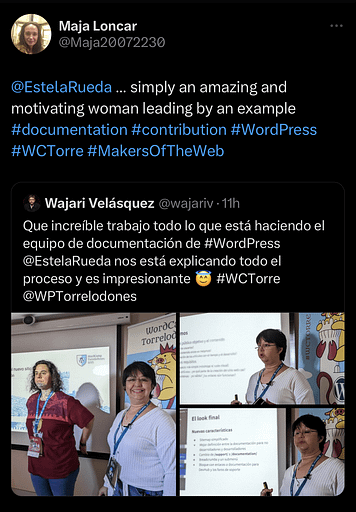
I am not one to toot my own horn but I was so proud of myself when I got the acceptance email for my talk. And on Sunday, people had nice things to say about me on Twitter, I think I blushed all day.
Attending WordCamp Torrelodones was an incredible and enjoyable experience that left me feeling humbled. The flawless organization and exceptional organizing team were truly remarkable. I departed with a promising start to the second phase of the internationalization of documentation project, made new friends, and returned home with both a heart full of joy and a brain full of ideas. The WordPress Spanish community is truly something special, they make everything more fun and exciting.
20 years ago, WordPress found its way into this world and I have been working with it almost from the beginning. Well, 3 years after the first version launched and then again 5 years later.
It was 2003 when I moved back to the US. After a divorce and a child in my arms, I wanted to find a job that allowed me to stay home and raise my son but alas, the concept of distributed teams didn’t exist back then.
One day, at a FOSE conference (a cool IT conference/trade show for government in DC), I was standing right by the Macromedia booth and I got the lucky winning number and went home with a full Macromedia set in a plastic case with about 6 CDs.
About a year later, I discovered I could set my own business as a virtual assistant. I could work from my computer and stay home to care for my son. Except that I needed to learn how to build a website.
Working on the Internet
I learned that Macromedia had a software called Dreamweaver and I could build a website with it. Since I am pretty good at following instructions, I started asking around. Firefox wasn’t very helpful and Google wasn’t the information monster it is now. So I hit the library for books about Dreamweaver and Fireworks.
Once at the library, I realized I had forgotten the sticky note with the names of the programs so I opted for my memory and I got 2 books: Dreamweaver 7 and something that was Fire-something. That Fire-something book turned out to be a book on how to install and search on Firefox ????. I didn’t give up.
Back then, I was also a member of a group called DC Web Women, a group of women in tech founded sometime in the 90s. Those women were my source of truth and I literally learned how to build my first website by asking questions.
While in the process someone recommended I checked WordPress out, perhaps it could helped me out with the buttons and the menu, which were the 2 things I struggled the most.
Meeting my nemesis
My first visit to WordPress.org was sometime in 2006, I looked for documentation and immediately, the Codex became my nemesis. I am not a developer, have never been a developer and will never become a developer, but the documentation in the Codex made me say something like ‘holy cannoli this is written for geniuses.” I ran away from WordPress and finished my first website with the help of Dreamweaver and Fireworks in CSS and HTML.
My first site built with HTML, CSS and some fancy Fireworks buttons. Cliparts courtesy of my computer.
Since that first visit, I became obsessed with documentation and simple language. I studied a lot to learn my way around the internet and I loved talking to my clients in an easy-to-understand language, zero developer jargon.
2010, the year I fell in love with WordPress
Around 2010, I took a class at the Northern Virginia Community College and learned how to build a website in WordPress. Someone had to teach me cause the Codex was still incomprehensible to me.
The first website I built in WordPress in 2010
Until the year 2017, I built about 30 WordPress sites for small businesses, not many because it wasn’t really the focus of my own business but I enjoyed it and had fun with it.
2017 was also the year I moved back to The Netherlands and I discovered the WordPress community. That year I attended my first WordCamp in Utrecht and ventured to WCEU Belgrade in 2018. Being in The Netherlands helped me get close to the Dutch community, they helped me navigate my way around the global community. In Belgrade I met many members from the Spanish community, my forever friends.
Contributing to WordPress
It was during WC Utrecht that I learned about contributor day, I didn’t do much the first time. I walked around the venue, moving from table to table, totally lost and in awe at the same time. They were some of the people that helped build the software I so much loved!!
Contributor Day at WCEU in Belgrade was intense and the design team weekly meetings on Slack were like lessons on steroids. I learned more about WordPress in a month than I did in 7 years.
For the next few years, I volunteered at WordCamps in The Netherlands and then at WCEU in Berlin. It was Contributor Day in WCEU 2019 when I faced my nemesis again, the Codex, but I didn’t know. It was the day I was invited to help redesign the documentation pages on WordPress.org. Several meetings later, I realized that some Codex articles were moved to HelpHub, the end-user documentation, and others to DevHub or developers.wordpress.org. The Codex lifeline is expiring.
I still contribute to WordPress and have huge plans for my future contributions so the rest of the story will be another long post about my contributions to HelpHub, personal struggles and the support of the WordPress community.
And I raised my hand again and joined this 30-day click publish challenge. That terrible habit of mine to saying yes to everything.
But I think this is going to be a good thing. I need to publish more, my blog needs a lot of loving. The last time I published something, the days were warmer and the sun was still up by 11 pm. So 30 days should be doable.
Starting today is a bit odd, right in the middle of the month, right in the middle of two deadlines, still I have to think of something and it better be interesting.
What is the challenge about?
Corey Miller from Post Status invited members to join him in a 30-day click publish challenge. What will I write about? A lot about what I am doing in WordPress.org, organizing WordCamps challenges, perhaps about UX and then there is my weekly post that comes out on Tuesdays on Medium, as part of my series 52 bad habits to change in 52 weeks.
I am sure I will find other things to write about. Starting is the most difficult part and here I am.
Join us if you like this challenge and let me know about your post in Twitter as @estelarueda.
In the past couple of weeks there has been much talk about WordPress.org’s Five for the Future program. The discussion is long and has many ramifications and you can read this post from The WP Minute if you want to learn more.
Among the Twitter conversations and Post Status’ Slack I read about people only being able to contribute 1 to 2 hrs per week and that does not equal to the 5% of much. Let’s get back to what Josepha Haden Chomphosy said in WP’s podcast: Five for the Future’s True Intentions.
The 5% in Five for the Future is aspirational… not a requirement.
Let’s put things in perspective
Of course it is aspirational. And those 1 to 2 hours per week are needed in the WordPress project more than you think. That amount of time will have great impact in the work we do.
WordPress.org is not only core and it is not all about the code. There are many other things we do to maintain the project alive. So perhaps we have failed at letting new contributors know what they can do with their minimal time.
See, we are so happy when new contributors join us that we welcome them with open arms and give them all the freedom to contribute as they wish. But the WordPress project in itself is huge and it can be a daunting rabbit hole when you have no guidance.
I think, it is time we cut their wings a bit and start pointing some fingers, not at people but at tasks.
I have gathered a list of tasks anyone can contribute in less than 3 hours per week to the WordPress Project. One caveat, I do not contribute to every WordPress team, so I am only mentioning the ones that I am aware of. These are smaller tasks but in any way less important.
Documentation
The docs team meets weekly, twice a month there is a meeting to update or discuss specific projects/collaborations. The other two weeks is issue triage for documentation. The team meets on Tuesdays at 14:00 UTC. For more information checkout this post about Onboarding to the Documentation team.
Review old and broken links in documentation
Review code in documentation
Add new screenshots to articles (some features change after WordPress version is updated)
Write an article for either end user or developers documentation
Take notes during meetings
Learn
The training team is creating lessons and tutorials for WordPress. No need to be certified trainer to help out as there also tasks that would support the team. The team meets on specific dates and times for Americas/EMEA and APAC teams. Attending a team meeting and reading the handbook are the best ways to get started.
Are you a non-English speaker? help translate a lesson.
Core
Core is broken into smaller teams. There is no best place to start, I suggest find what interests you and go from there. Attending a dev chat is also a great way to familiarize yourself with how the team works.
Participate in bug scrubs for WP versions or components.
Checkout the Good First Bugs report and create or test patches and comment on Trac tickets.
Take notes during Dev chat. Meetings are every Wednesday at 20:00 UTC
Test
Test team is busy now with Full Site Editor and have been working on feature and block testing. We recently had a usability testing session that lasted about 20 minutes. The team doesn’t meet regularly but you can drop in the Slack channel with questions or feedback anytime.
Participate in an FSE testing call.
Test blocks or FSE features and report results, issues and bugs in the teams Slack channel.
Although not all 21 make teams in WordPress.org are looking for contributors with short amount of time available, there will always be a team or two who will mostly appreciate your contribution. And as I say before, it is not an exhaustive list and I would love to add more items to the list in the future.
For the past 2 years I have been busy reading and reviewing the end-user documentation in WordPress.org. The goal was to create a new design for the articles as they look outdated. The hidden problem was the problematic search, which is far more important than the way a page looks. This project is written into two parts.
The discovery phase
While reviewing the documentation, I found discrepancies in the navigation. Discovered that several articles were included in more than one category, the article listing changed when going back in the browser and there was no clear navigation.
The revision included the 15 requirements that the documentation team had gathered during the migration of the documentation from the Codex (the previous documentation repository for the WordPress Project.)
The most urgent issues to solve were the navigation to improve search and the user experience and, identifying the users.
Methodology
I didn’t follow any specific methodology. After researching documentation sites for several software companies, open-source and privately-owned, I understood the path to follow.
The path guided to find the four pillars to create the sitemap. When thinking of how to structure end-user documentation it is difficult to think about new, intermediate or advanced users because one cannot really identify who is whom or what level is each user. Instead, it is best to follow a “step-by-step” build; what do I need to know before building a site, what are the requirements, any technical hiccups (maintenance), etc.
What is WordPress? What is its story? Is WordPress the best CMS for the user’s project?
What does the user need to create and maintain a WordPress blog or site? First steps, requirements, maintenance, troubleshooting
WordPress dashboard – daunting for new users, get to know your new software, how to add content, how to manage media.
Customization – themes, blocks, FSE, plugins, colors, etc.
Identifying the end-users
Creating personas for a software that is used by millions of people is absolutely useless. As soon as one persona is created, you leave out 99% of the users. Instead, I identified users by roles.
The non-developer users that search WordPress end-user documentation falls into any of these roles:
Bloggers – new or not, anyone who writes a blog and wants to customize it without the help of a developer.
New users looking for a CMS to build a website.
Content creators that are looking for content to create tutorials or references for their own products.
WordPress consultants that provide service to clients.
Support teams from companies that look for content to support their own products/services or, that provides tech support for their clients.
Translation teams/contributors that are translating documentation into their own languages.
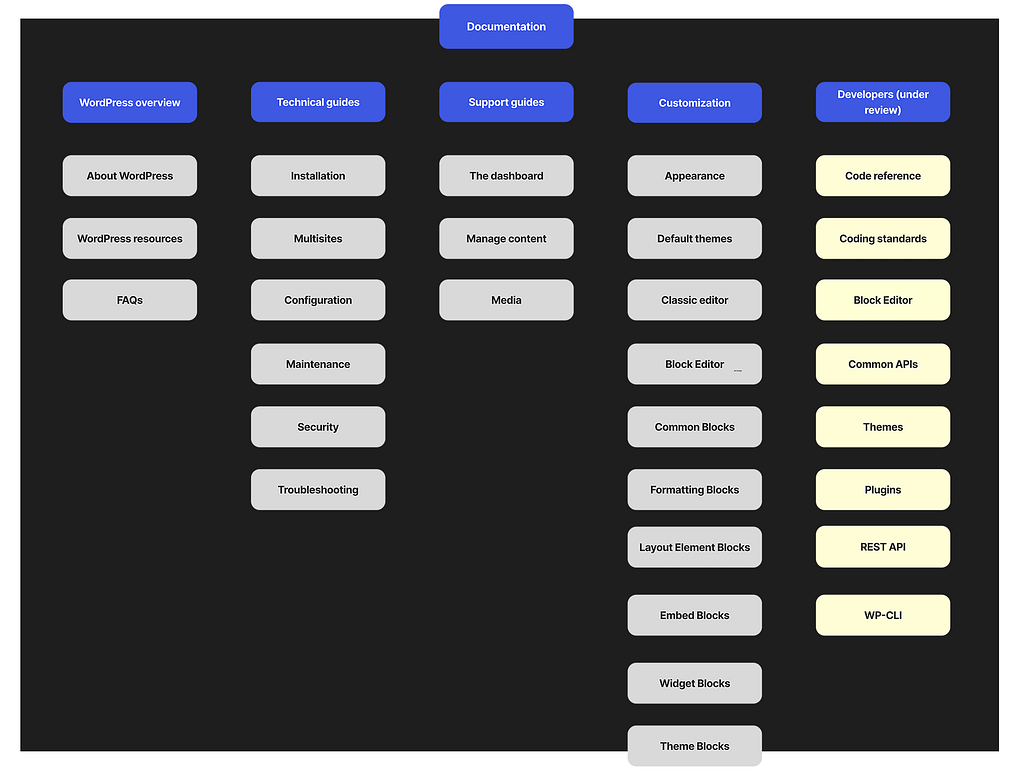
The result: a new site map for WordPress.org Helphub
There were 170 articles written when we started the reclassification. The new WordPress features including the Block Editor, Full Site Editing and new blocks, increased the number of articles to about 250 and there are plans to write more. The reclassification needs to take into account the growing needs of WordPress.
The site map now includes 4 main categories with subcategories under each to allow growth. Below is an image of the recommended sitemap. The developers column is under review.
All I can say is Yoast is awesome! As contributor the encouragement received from Yoast, besides the financial contribution, is a great feeling and I am really grateful for their support.
This contribution helped me invest more time into the reclassification of the articles inside HelpHub. HelpHub is the documentation for end-users within the WordPress project.
This was a an amazing surprise. It may be hard to believe but I am not used to receive recognitions for any. of my volunteer work cause that’s not the reason I do it. I had a volunteered a lot throughout my life, “always give back”, one of my grandmas used to say and it is a principle I live by.
My contributions to the WordPress project are important to me, thus this token of recognition is humbling and very appreciated.
Thank you to Yoast for supporting contributors to the WordPress project.